Magnet Monkey Media
Keyframe
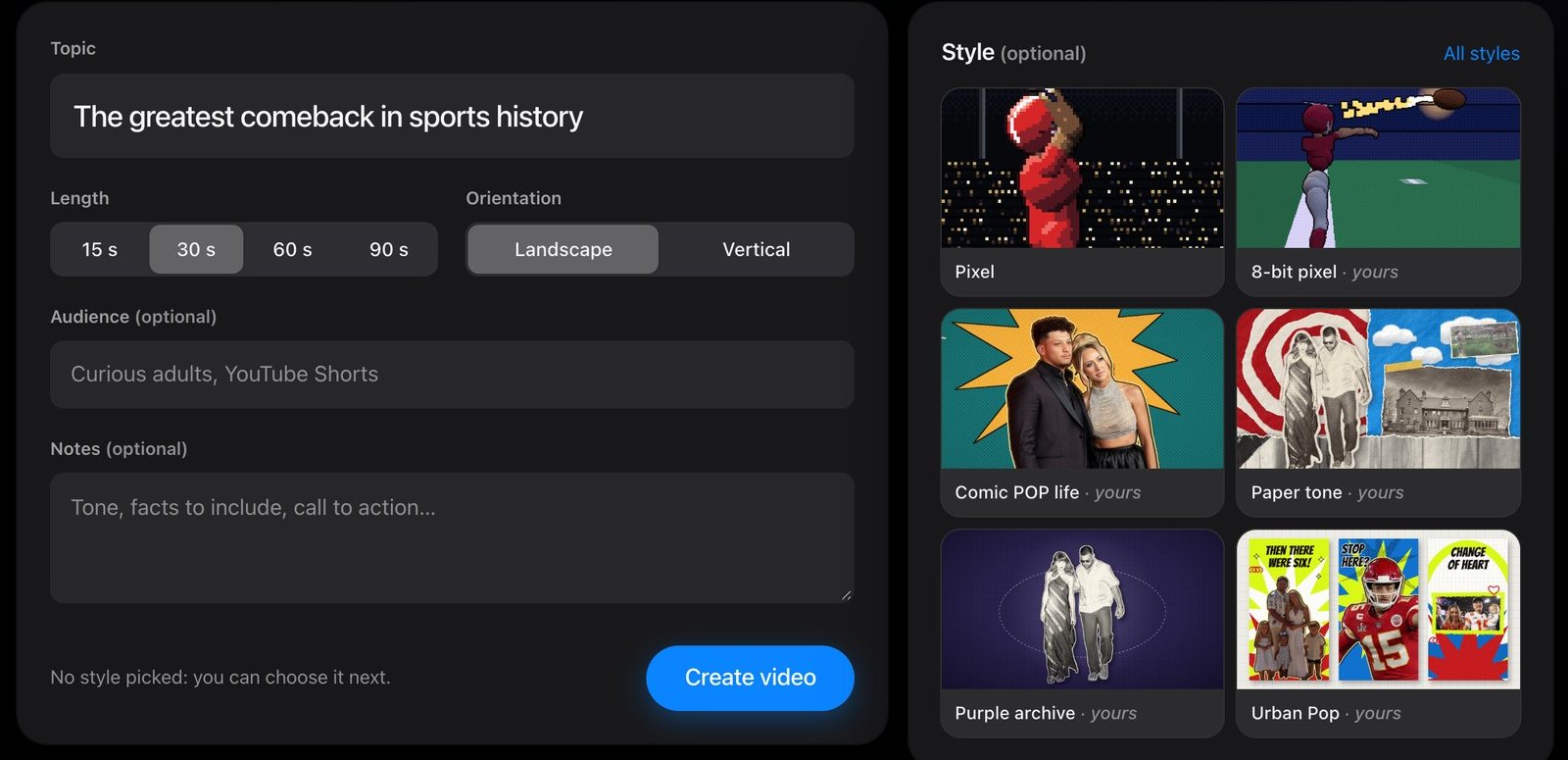
The video app we built. It runs in the browser. You give it a topic, a length and a style, and about 30 minutes later the finished video is on an editing timeline. You approve every step on the way.
Why we built it
Teams want more videos from AI, but there was no repeatable way to get them. So you picked: fast and inconsistent, or consistent and slow.
No standard way to use AI
Each person prompts differently, so every video comes out with a new palette, a new voice and a new pace. Nothing repeats.
Hand editing takes a day
Every keyframe, cut, caption and sound effect is placed by hand. One editor makes one video a day, and changes push it into the next.
Every video goes through the same eight steps
Same steps, same order, for every project and every editor. Nothing moves to the next step until you approve it.
Style
Pick the rulebook for the look, motion, camera, voice, pacing and captions.
Script
The topic researched and written to the length you chose.
Scenes
A plan for every shot: exact colours, characters, sets and where the camera sits.
Voice
The script read in the style’s voice, timed scene by scene so cuts land on the words.
Keyframes
Each shot drawn as a still frame in the style, for you to check.
Animation
Each approved frame turned into a moving clip.
Sound
Music and sound effects placed on the cuts.
Final
Shots, captions, voice, music and effects on one editing timeline, ready to export vertical or landscape.
A 60-second video, brief to timeline in 32 minutes
From Keyframe’s activity log: “The greatest comeback in sports history”, 60 s vertical, Paper tone style, 14 Nov 2026.
- Script1.9 min
- Scenes2.5 min
- Voice3.8 min
- Keyframes17.2 min
- Animation2.9 min
- Sound1.8 min
- Timeline1.8 min
Most of those 32 minutes is the app drawing 22 frames, not you working.
- 22
- shots, plus voice, music and 13 sound effects
- 7
- times you clicked approve
- 11 min
- to rebuild a finished video from 16:9 to 9:16
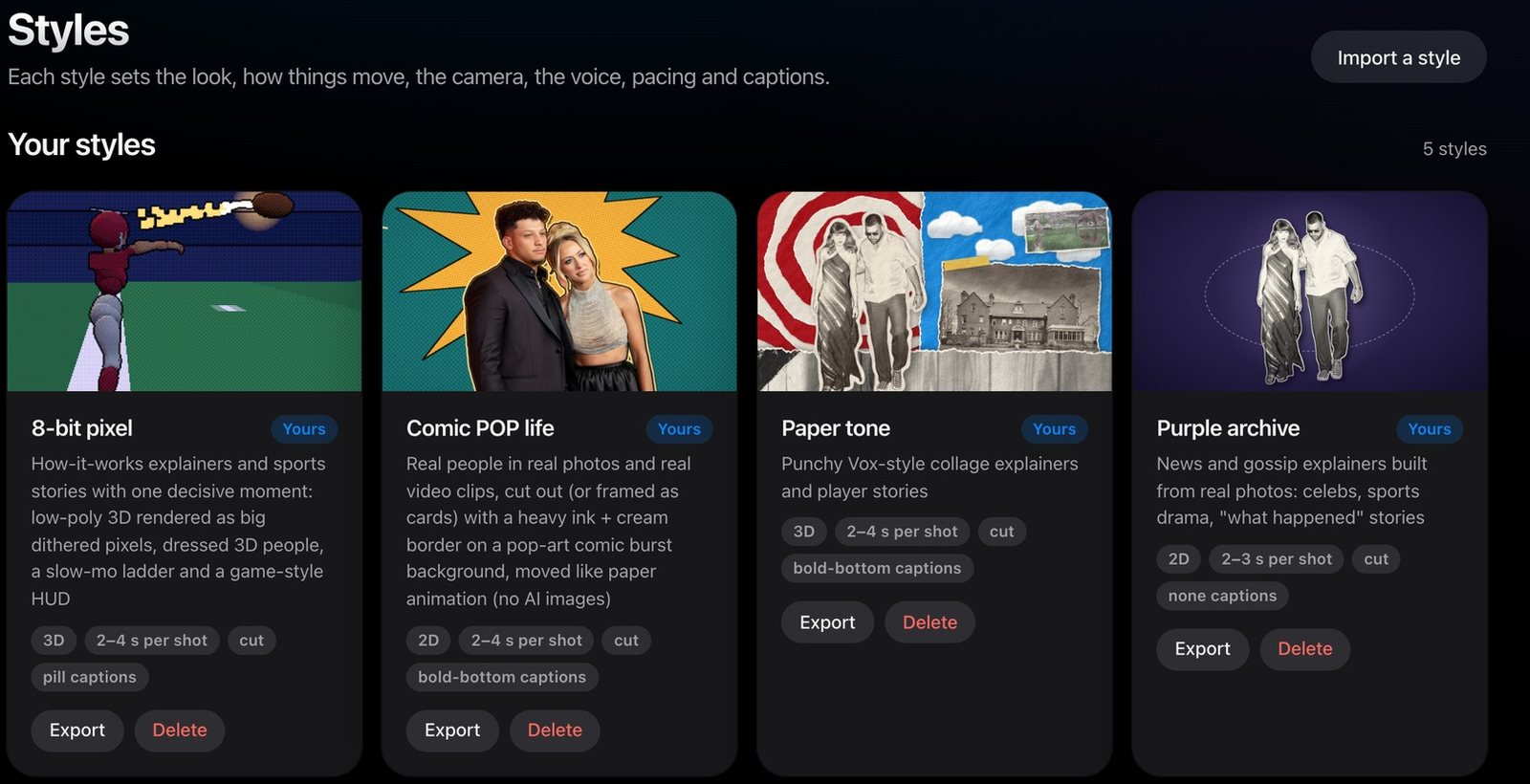
A style is a rulebook you pick once
It sets the exact colours, how things move, where the camera sits, the narrator, the pacing and the captions. Video 1 and video 100 follow the same rules, whoever makes them.
Build your own from 5 to 15 references
Drop in images or videos of the look you want. Keyframe does the rest, then saves the style as one file. Anyone on your team imports it, and their videos follow the same rules. Change it later with one line, like “make the chalk lines thicker”.
- Measure the exact colours, contrast, frame rate and animation timing of every reference.
- Study line, texture, lighting, proportions and camera habits, like an art director.
- Research the technique and the artists, from your links and the web.
- Write the rulebook for look, motion, camera, voice, pacing and captions.
- Test and tighten with real keyframes and a clip next to your references, two or three rounds.
Change one shot, keep the rest
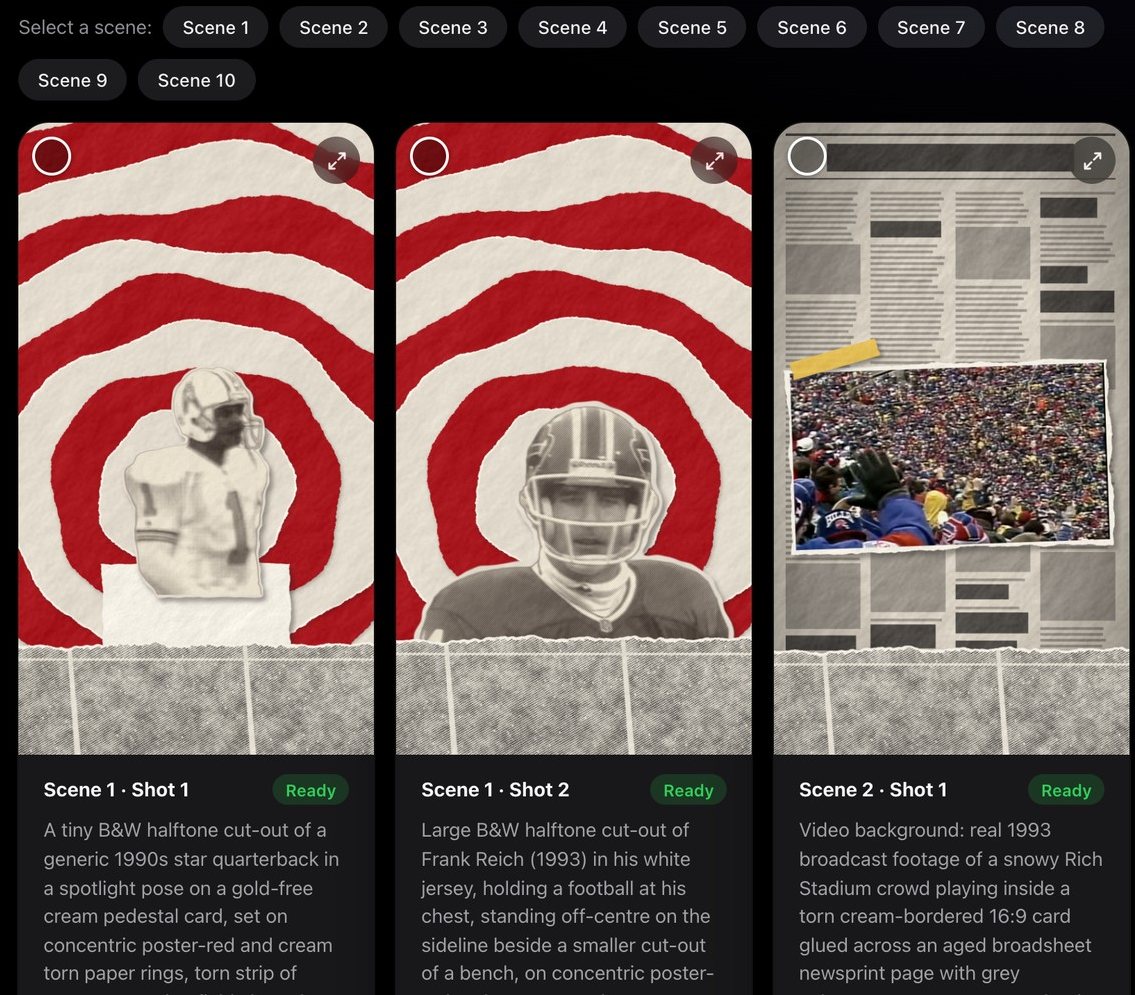
Every shot sits on one review screen next to its brief, so you can see when one drifts off the style.
- Tick a shot or a whole scene and write one line on what to change
- Only that shot is redone. The script, the voice and every shot you approved stay as they are
- Clips and sound are reviewed on the same screen
A hired editor next to Keyframe
Keyframe times come from its own activity log.
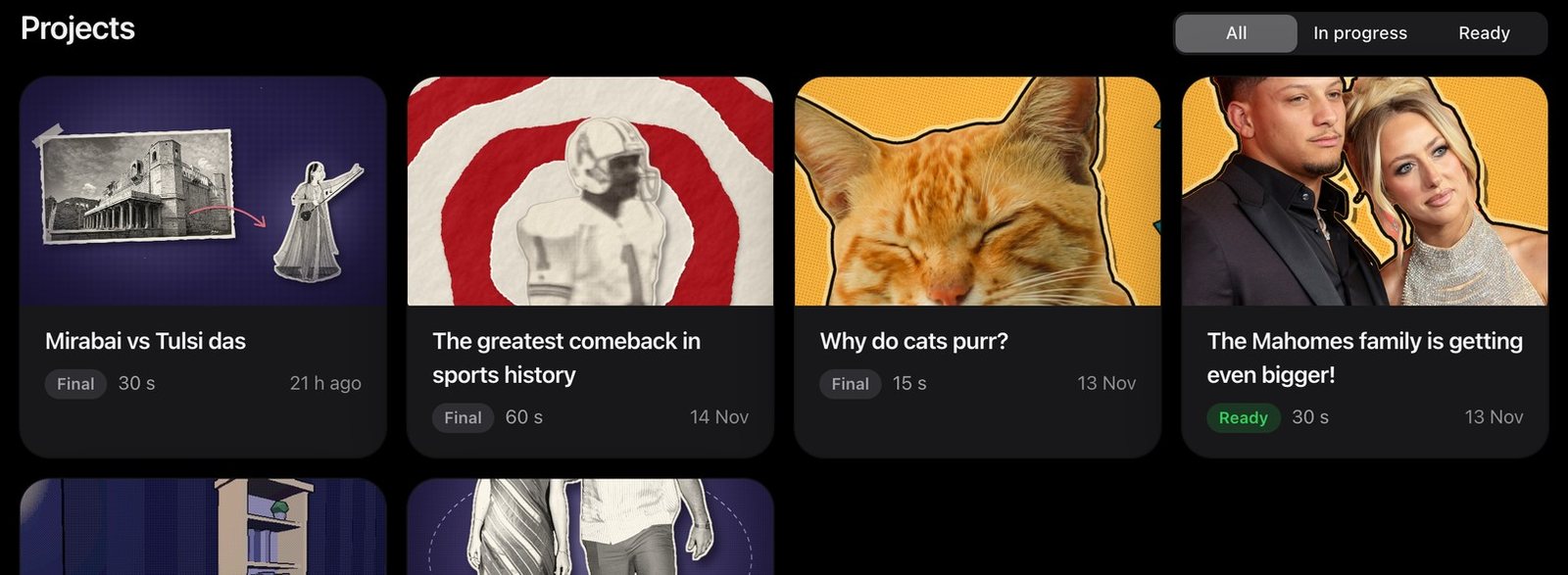
Every video in one place
Each project shows its style, its length and where it is. Pick one up where you left off.